Babya today announced Production Suite 2007-a complete video & audio production suite for the film and music industry.
Production Suite 2007 conbines the existing Babya Logic Pro and OneVideo with new video production applications-including Babya bMovie Pro and Babya Presenter DX.
Production Suite 2007 will consist of:
Babya Presenter DX:
Babya Presenter DX is a drag and drop DirectX based slideshow creator, that creates stunning video & image based slideshows.
Transitions available include:
Barn
Blinds
Burn Film
Center Curls
ColorFade
Compositor
Curls
Curtains
Fade
Fade White
Flow Motion
Glass Block
Grid
Inset
Iris
Jaws
Lens
Light Wipe
Liquid
Page Curl
PeelABCD
Pixelate
Radial Wipe
Ripple
Roll Down
Slide
SMPTE Wipe
Spiral
Stretch
Threshold
Twister
Vacuum
Water
Wheel
Wipe
WormHole
Zigzag
Babya bMovie Pro:
Babya bMovie is a graphical tool for creating Microsoft DirectShow Editing Services timelines and editing of Babya XTL format slideshows
It can do the following tasks:
Loading and saving XTL project files
Adding, editing, and deleting timeline objects
Previewing a timeline
Babya Logic:
Babya Logic is an powerful suite of pro-quality audio production software, included with Production Suite which includes Babya Logic, a 8-track music creation application-that enables you to create and compose music and also includes Babya Jam Pack: Studio tools, Babya MicroKit and UltraSynth.
Babya Riff Editor (create and play custom guitar riffs)
Babya Visual Music (record your own music using a on-screen keyboard and a scripting language)
Babya bMix Notater (make and print sheet music)
Babya Keyboard (a on-screen keyboard ideal for working out a song you'll make in Babya Logic )
Babya Sound Canvas (edit Roland® SC55 files or MIDI files)
Babya Easy Guitar Tuner (a useful way to tune your own guitar)
Babya Logic and Logic Pro also includes:
Babya MicroKit-percussion sequencer software
Babya UltraSynth-a standalone virtual synth application
Logic Scorer:
Compose and print music scores & sheet music
Babya SampleStudio:
Mix and record sound samples
Instruments & Synths:
Babya CS80
Casio style MIDI keyboard instrument
Babya UltraSynth
Generate quirky and intriguing sounds with this DirectX based synth
Guitar Amp Pro:
Create & tune sweet custom guitar chords from arena to funk, live or in studio
and control MIDI instruments.
Babya EXM:
Generate the wildest sounds imaginable using 2 oscilloscope with support for
custom defined envelopes
Babya EFM:
Play cool and classy FM sounds using this keyboard based synth.
Babya ESE:
Funk and techno sounds of the 1980's can be recreated with Babya ESE-a beep based synthesizer with a custom music generator application included.
Babya EVB1:
Easily create binaural music tones with this interesting synth.
Effect Plugins:
Babya Audio Effects Studio:
Quickly audition sound files with gargle or echo effects
SoundGen:
Quickly produce PCM audio files with ADSR support
Bass Maker:
Create electrifying & thunderous bass based music
Babya OneVideo:
OneVideo features QuickTime authoring, and iPod export plus YouTube video downloading in the one package.
OneVideo includes Babya QuickTime Studio, which is a powerful application which uses QuickTime 7's COM Control to display and manipulate movies, using a familiar Apple QuickTime movie controller.
Babya QuickTime Studio has the following capabilities:
Standard QuickTime 7 features available in Babya QuickTime Studio are:
- Movie playback with a movie controller container
- Open, Open from URL, Close
- Cut/Copy/Paste/Undo
- Display movie info. such as duration, track types, track formats, etc.
QuickTime 7 Pro features you can use in Babya QuickTime Studio are:
-Full Screen mode
- Export, Export with dialog
- Quicktime Event handling
- Fullscreen playback
Babya's A.A. Fussy said,"Babya Production Suite is our new and professional video and audio production suite aimed at professional film makers and muscians. Using Babya Logic, they can score and compose a compelling soundtrack and with the the video editing software included, they can combine pre-recorded footage transferred from a DV or HDV camcorder and turn it into a great film. Then they can master it to DVD or to the web."
Pricing and Availability:
Babya Production Suite will be available in early 2007.
Wednesday, March 16, 2011
Babya's Production Suite Coming in 2007acomplete Video & Audio Production Suite for the Film and Music Industry

Annual Art Contests for Kids
One good way to encourage your child to develop their imaginations and to get them away from the television is to have them enter an art contest. There are many different types of art contests that are designed for kids. Most will revolve around creating a poster for a themed event, or creating some sort of narrative art that teaches a lesson as well as entertains. To find these contests you will want to look for annual contests and for new campaigns offered by federal and state agencies as well as nonprofit organizations.
Children’s Art Contest Number One – The Annual Tar Wars National Poster Contest
The Tar Wars National Poster Contest is an annual art competition for kids. To qualify for this competition the child needs to be in the fourth or fifth grade, they must have had the Tar Wars presentation given to them in school, they must create a poster based on this year’s theme, and they must submit their entry by their state’s deadline. If you are a teacher and would like your class to participate in this anti-tobacco art competition you can contact your state representative to get the materials needed. To find the contact information for your state’s Tar Wars representative you will need to go to the Tar Wars homepage located at http://www.tarwars.org/poster.exml. Art work will be judged on creativity, originality, interpretation of the anti-tobacco theme, and the clear and positive message that it depicts. Posters will need to be between 9 inches by 12 inches and 22 inches by 28 inches, and they must use two dimensional art mediums only. The deadlines for entries will vary, however, mid April is a good estimate. Posters that win at the state level will be entered in the national competition held in May.
Children’s Art Contest Number Two – Youth Wildlife Art Contest
If your child is interested in hunting or wildlife then they may be interested in entering the National Rifle Associations Youth Wildlife Art Contest. This is an annual event that accepts entries from kids in grades one through 12. Students can attend private, public, or home schools and still be eligible for this contest. The deadline for entries is the beginning of October with the 2006 deadline being October 3. There are four age categories for prizes. Category I will be for 1st through 3rd graders, category II for 4th through 6th graders, Category III for 7th and 9th graders, and Category IV for 10th through 12th graders. Several cash prizes will be awarded in each category.
Students are only allowed to submit one entry. The artwork can use any two dimension art medium, as long as it is on an 8 ½ inch by 11 inch paper, or on an 11 inch by 14 inch paper. You don’ need to mat the art but you can if you want. Art work will be judged on its composition, realism, creativity, and effort. For more information about this competition you can visit the following website: http://www.nrahq.org/youth/wildlife.asp.
Children’s Art Contest Number Three – Annual Arbor Day National Poster Contest
The National Arbor Day Foundation is another organization that hosts an annual poster contest intended to inspire children. This competition is open to fifth graders across the national and last year more than 75,000 fifth graders participated in this event. If you are a teacher or a home school teacher and you want your class or child to participate in this event you can request a free Activity Guide for this year’s poster contest from http://www.arborday.org/kids/postercontest. This free guide will include lesson plans that center on the importance of tress, and they will include lessons for the following subjects: art, geography, social studies, and national science. Prizes for this contest include Savings Bonds, awards, teacher prizes, and a trip to Nebraska City, Nebraska for the awards ceremony. For more information about this contest please visit the National Arbor Day Foundation’s website.
Christmas Light Photography Tips and Advice

credit
We're out taking photographs of Christmas lights. There are so many beautiful displays, and we want to capture them on film. So as we prepare to take our pictures of Christmas lights, we back away so that we can capture the entire magnificent scene within our frame.
Correct. But also incorrect, if that's all we do. And this leads to our first Christmas photography tip for illustrating Christmas light displays.
(1) The best Christmas lights photography captures not only panoramic scenes, but also close-ups of the highlights within the panorama. We want both. Let's say that on the sprawling front lawn of a suburban home, we see Santa on his sleigh in one location, and a Salvation Army bell-ringer in a second spot, and a nativity scene someplace else. In addition to our distant Christmas photograph, we can also zero in on each of those three highlights.
(2) Opt for a high shutter speed. We want to illustrate the lights, not the light that they emit. A wide angle lens is for the panorama, and a macro lens is for the close-ups.
(3) Those Christmas light displays are so brilliant in the deep, dark, Silent Night. Maybe so, but our Christmas photography will be lousy at that point. Our photos will show the lights, but not the property in the background. Or, we'll see the property but we won't clearly see the lights, so to speak. Our best bets are at dusk or at dawn, and overcast usually is better than clear sky.
(4) If we're really dedicated and sticklers for perfection, we'll shoot our Christmas photography both at dusk and at dawn. Great photography of any sort is trial and error. Furthermore, if we show up maybe a half-hour before the optimal time, then we can plan our logistics and our camera angles, so that we're ready when the time is right. Extra time = excellence in our Christmas photography.
(5) Let's see here. We have the lights. We have the various props that go with the lights, such as the nativity scenes or Santa on his sleigh. We have the property in the background. Aren't we forgetting something? Oh yes, the sky. The sky! Look at examples of Christmas lights photography that impress you (or even thrill you) the most, and odds are that the sky will play a prominent role. Seek an angle at dusk that shows an afterglow in the evening sky. To include more sky, shoot from a low angle, upward toward the Christmas lighting display and toward the sky.
(6) People. Where are the people? Just because your subject is Christmas lights photography, that doesn't mean the scene must be devoid of people. Have some children pose in the scene, or better yet, just tell them to go ahead and frolic. This can add a unique element to your Christmas lights photography.
SOURCES
http://www.intofotos.com/photography/2007/11/10/how-to-photograph-christmas-lights/
http://strobist.blogspot.com/2006/12/how-to-photograph-christmas-lights.html
http://www.slrphotographyguide.com/tips/christmas-lights.shtml
Friday, March 4, 2011
How to Make Baby Crib Sheets
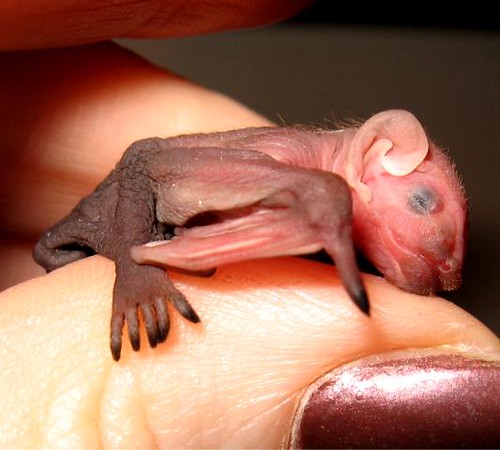
baby clothes gifts
The great thing about making your own baby crib sheets is that you can choose from thousands of fabrics available, rather than settle for the few choices at your local department store. The sheets are very easy to make, especially if you have a serger, or over-lock machine.
If you'll be using regular cotton fabric, cut the material 68" long. For flannel, cut two inches longer, since flannel will often shrink. If the material is pre-shrunk, cut to 68". With flannel, however, after being washed once, it's often very noticeable, so if the sheets are a gift you may consider cutting the flannel extra long rather than pre-shrinking.
Lay the fabric out flat on a table and cut an 8" square off of each corner. The easiest way to do this is to cut a piece of cardboard to 8"x8", then use it as a pattern to cut around. Lay the cardboard on one corner and cut around it, then move on to the next corner. After cutting the block out of each corner you are ready to stitch.
On each corner, fold the cut portion, right sides together, and angles aligning. Serge or stitch across to form a pocket. Do this for each of the four corners. Use quarter-inch elastic and stitch it to the entire perimeter of the sheet. Pull the elastic slightly, while sewing around the corners, then just stitch the sides without tugging. When you get to the second corner, again pull the elastic slightly, all the way around the corner.
If you're using a serger, the elastic can be sewn in while stitching, but be sure not to get the elastic too close to the knife. If the elastic hits the knife just once, you'll have to reinstall the elastic. To prevent this, especially if you are a beginner, serge around the perimeter, then use a single-needle machine to attach the elastic.
If you're using a single-needle machine for the entire job, you can do the elastic a couple of different ways. One way is to sew the elastic into the sheet with a zig-zag stitch, then call it finished. Another way is to fold the edge of the sheet over the elastic, hiding it as you stitch. A third way is to stitch the elastic all the way in, then go back and fold it over, stitching it again. That technique will hide the elastic and is easier for some beginners.
It's not entirely necessary to place the elastic all the way around the sheet. Many people simply sew elastic into the corners. To do this, cut four pieces of elastic, each 9" long. Find the center of the elastic and place it at the corner seam. Stitch half of the elastic on, pulling it slightly as you sew. Now go back to the center and sew in the opposite direction, tugging the elastic slightly as you sew the second half. After putting in all four pieces of elastic you can then go back and turn the elastic under, if desired, and stitch.
If you're wanting to make sheets for a toddler bed instead of a crib, use the same method but measure the mattress of the toddler bed, from the underside of one end to the underside of the other end, and use that measurement instead of the crib sheet measurement. You'll find it very easy to make the sheets and the little baby will enjoy them tremendously, even if he can't tell you personally.
Sunday, February 27, 2011
Shooting for Stock Photography
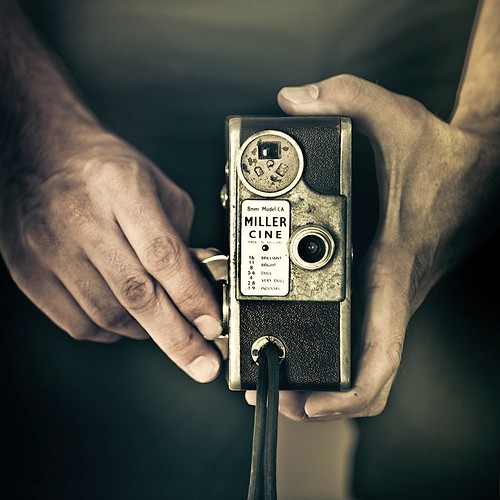
Photo Credit: celtics baby clothes
A great way to earn money and learn a lot in the internet is participating in stock photography. Stock photography has been around for a while. And there are a lot of great stock sites that sell photographs for a reasonable price.
Just how and what should you shoot to be able to participate in stock photography?
Photographers say you should start with the concept. But the very first thing you should do is to know your equipment. I literally spent ten times more time trying to know how my camera works than thinking of something to shoot.
Stock photography is a very demanding industry. It's as close as you'll get to professional photography. It requires you to be able to produce images of the highest quality. That is because this industry is very competitive.
Try shooting the same subject with different settings. You should know how your camera reacts with different kinds of light. You should also know how it responds to different levels of illumination. Note the differences you see and keep them in mind.
Next you need a concept. Your images should present an idea, a thought or an expression. Consider a photograph of a man typing on a computer. What is he doing? Why is he typing? Is he working? Is he Blogging? Or just playing?
Designers buy stock images because of the concept they present - not because they look good. Stock photos are used in web sites, brochures, magazines, publications, advertisements, and almost anything that has a print.
So you need to have an image that has a concept that satisfies the needs of the would-be buyers of your pictures.
Then, you need a lot of light. Stock photos require that images have the right level of illumination and contrast. They need to be clear. If you can't afford a big set-up, you can always use desk lamps or even the sun.
You'll also need a computer and two kinds of programs: noise reduction tool and a photo editing application. Most stock photographs go through a noise reduction process. They also get a little tweaking in color, contrast and brightness.
Stock photographs need to be as close to perfect as possible. It's like what they say in the computer graphics industry: "it does not matter how you do it as long as you get the job done." Don't think that editing a photo in your pc is cheating. That only goes for journalism.
The next is pretty simple. You need a stock agency to upload your images to. Or you can showcase your work in your own site. Uploading in stock agencies is better. That is because you can find out where and how to improve. Use their powerful community to find out your weakness and strengths as a photographer.
Then when you have all this, what you need to do next is to be consistent and improve and improve and improve. You need to keep up with the ever demanding industries. If you don't, you'll get left behind.
Six Tips to Help You Clean and Organize Your Photography Studio

photo source
1. Photography Studio Organization - Use good old fashion hanging files.
Believe it or not, in this digital age, the classic green hanging folder is still a great organization tool. Using manila folders to organize your photography studio's bills, invoices, and receipts is a good start. It is a lost cause however, if you don't have an organized place to put them. The hanging folder is the perfect place to put them
Don't have a filing cabinet to put the hanging folders in? Not a problem. There are several options available at your local retail store. I prefer the clear Rubbermaid bins. They are about 8 inches wide. This means they are easily stored in closets or on a bookshelf. Since photography studio space is usually valuable real estate, these smaller file boxes might be the way to go.
2. Photography Studio Organization - File your files
A great way to keep your files organized is to keep a file of all your files. What do I mean by this? Keep a piece of paper in your photography studio with all of your file folders on with their names. If the folders have sub-folders, list those too.
This will let you see if you have folders that overlap so that you can condense your folders. For example, there is no point in having studio file and a studio equipment file.
You could have this list written on a piece of paper, but that would just be one more piece of paper to file. Try keeping this record in a word or excel document. That way you have one less piece of paper in your office and you can update it much easier when you add new folders and files.
3. Photography Studio Organization - Throw things away
For some reason most photography studio owners have a fear of throwing client paperwork and photos away. There are certain things that you just don't need to hang on to. If you are a digital photographer there is no reason to hold on to basic prints. Create a varity of back-ups and toss the prints. You can always re-print them. If you aren't a digital photographer and have a traditional photography studio, invest in a scanner. This way, if you must hold on to prints for color purposes, you can scan them and toss the print.
There are some things you need to hold onto though.
Tax items are one thing you should hold onto. You should save your tax returns forever. The rest of your tax reports and receipts should be saved for no longer than six years.
Throw away papers that you don't have an immediate need for, can get a copy of easy, or that don't have any tax or legal reason to hold on to.
If you feel like you need to hold on to all your photography studios paperwork, than try scanning it all onto a portable hard drive. Then you can throw all the papers away. It will take more time than growing through all the papers away, but at least the hard drive will take up less space in your office.
You can scan model's head shots for reference later. You can scan pose ideas from magazines so you don't have clipping all over your photography studio.
4. Photography Studio Organization - "Assorted" Folders
How many other, assorted, or misc files do you have in your photography studio? You know, the folder that you put everything in that you just don't know where else to put it. That isn't organization. Odds are you can just throw it away altogether. A good rule of thumb is, if you haven't needed it or touched it in a year then toss it.
5. Photography Studio Organization - Get rid of business cards
There are so many ways to organize all your business cards, model head shots, and contact information. There are plenty of ways to get rid of it altogether as well. A simple approach is to take the business card or headshot and tape it or staple it the file folder it is associated with. At least then it is filed away instead of in a pile on your desk or in a drawer.
There are lots of gadgets out there made for scanning in business cards to your computer. If you are a digital photography studio, you probably already have a scanner, put it to good use. If you don't have the money for one of these than just take some time to enter the contact information into your electronic address book. Outlook has a great address book or you could even use your email clients address book. Anything is better than having them just laying around waiting to get lost.
6. Photography Studio Organization - Use the computer
Try using your photography studio's computer as much as possible. Use it to make your to-do lists, create address books, file documents, and more. The more you keep or put into your computer the less you have in your photography studio.
As I mentioned before, there are plenty of gadgets out there that can help you scan your files into the computer. Take advantage of them!
Saturday, February 26, 2011
Using Depth of Field for Photography

source,image source
It's one of the greatest tools available to photographers, it's easy to use, and yet it's among the least known and used abilities of a camera today. Pro photographers have used it for decades, but the amateur can use these same techniques without paying the professional price. It's called depth of field, and it's accessed through the use of the aperture.
The aperture, simply put, is the hole that light comes through in your camera. Light passes through the front of the lens, through a series of glass pieces, through a hole at the back of the lens, and into the camera. The aperture is the hole in the back of the lens, and you get to control this vital part of the camera, if you decide to want to bump up your pictures. You can place the camera on auto, and the camera will adjust its aperture, shutter and more to the situation it sees. By placing the camera in more manual modes, you take on powerful and personal control, and YOU get to decide what you want to create with your photographs.
An important factor here is lighting. Any photography relies heavily on the lighting that you are using, whether it be from the natural, ambient light around you, or artificial light, like a strobe or other flash unit. Especially while using natural light, it will be important to use a tripod to keep the camera steady while shooting. If you are shooting on a cloudy day, without much light, then the camera must compensate for less light by having a longer shutter speed, which it will do automatically in the mode I'll be explaining in a moment. A longer shutter speed means the camera won't be able to have a clearly focused picture without the use of the tripod.
Depth of field simply means the area of focus, or the area in the picture that is in focus might be a more accurate term. Photography is a two dimensional medium, having height and width, but it lacks depth, the third dimension. Your photography can create the illusion of that depth through a few easy camera settings. You may be asking yourself, why would I want to create the illusion of depth, and what is it good for? Part of the reason is to create a sense of emphasis. When you take a picture of a large area, with trees, birds, squirrels, people, rocks, etc, what is the thing or object that you are zeroing in on? Is there anything that you really want to emphasize to your viewer? If so, it's probably getting lost in the crowd of other things on the scene. The squirrels are so small you can barely see them, the people are walking their dogs, and the trees are swaying in the breeze. But what if you wanted to focus on the viewer on the flowers in the garden? When you create emphasis on an object, it strengthens your photo, and actually guides the eye of the viewer to that object. You could take pictures to create a story about that, as you can read in my article about photo stories. When you get in to take close-ups of the flowers is where the possibilities of great photography begin.
Emphasize the garden by focusing in on one or two flowers at a time. Grab a tripod, get down to eye level with them, and then get ready. Place your camera in a mode that allows you to change your aperture; the mode is usually called "A", or "AV" on some models. Film cameras can allow these changes too, on SLR models. They require you to simply change the f-stop manually on the aperture ring. On your digital camera, use your selector buttons to change your aperture. You'll see on your digital camera, most likely, a letter f, with the number on the readout on either the monitor, or the info panel on the top of the camera, or perhaps both areas. The f means f-stop, which is the name commonly used to describe the number of the aperture setting. The best way to emphasize a flower is to have only that flower in focus, and to have the rest out of focus. Change your aperture to a really low number, such as 2.8, 4, or 5.6. When the lens is at a low number like this, the lens hole is wide open, but it is creating a small area or depth of field; basically an inch or two will be in focus. Focus your camera, and shoot. Now, look at the camera, and look at your pictures. The one or two flowers should be in focus, but do you see how the background is fuzzy and out of focus? This is what is called a "shallow depth of field", and that comes from using a small number f-stop. That's because you've taken control of your camera, and changed the outcome! Because only the flower is in focus, and the rest is blurred out, you have guided your viewer to what YOU want to emphasize! You have used one of the most powerful tools available for a photographer to bring a new focus to your pictures. Try this with a lot of different scenes; look how the item is forced to really stand out for you because it's the only thing in focus.
Now, on the opposite end of the spectrum are the pictures that have the entire photograph in focus; such as a lighthouse standing out from the beach, with horseshoe crab shells in the immediate foreground. This is also done by changing the depth of field of your camera. Here, you again change your aperture, but this time place it on a high number like 16, 22, 28, etc. This is to create a large depth of field by using a small hole in the back of the lens. Again, you must use a tripod to keep the camera steady. Take a picture with something in the near foreground, such as a rock or the crab shells, and then compose your picture with a mountain or some other object some distance away, focus, and shoot. Remember to use the rule of thirds here for additional emphasis. As you'll see, both areas should be in focus, again showing the third dimension and creating the illusion of depth. This is a large depth of field.
It's a little known tool in the photographer's toolbox, but almost any camera made in the past four years will have some sort of ability to work with depth of field, whether they have a point and shoot or DSLR. Every photographer, of every level, has the ability, through practice, to create beautiful photographs that can rival those of the pros, by using the tools available with every camera. Use the strength of depth of field when you create the third dimension in your photographs, and add a new and incredibly
powerful personal dimension to your photography.
Budget Winter Wedding Photography Guide

credit
Do-it-yourself wedding photography is an excellent way to save money, but it is important to plan the details. Chances are you probably know a few photography buffs who are willing to help with your wedding photos. Use this guide to make the most of their skills and generosity to get beautiful wedding pictures.
1. Recruit multiple friends or family members to help with the photographs.
Designating multiple people as photographer splits the workload and means the wedding pictures will reflect a variety of perspectives. Choose knowledgeable, reliable people who are experienced in digital photography.
2. Use a high quality camera.
Make sure the camera you choose is technologically capable of capturing your winter wedding memories. Varying lighting conditions and action scenes are no problem for a good digital camera.
3. Have backup batteries or a backup camera ready.
Be sure the camera you use is charged and have a backup battery or backup camera ready.
4. Bring extra memory cards.
With digital cameras, most people take a few photos then delete the bad ones. The quick pace of a wedding probably will not leave time to edit along the way. Besides, pictures that are out of focus or unusual often have a unique beauty that is not immediately apparent. Bring extra memory cards to avoid missing a good shot.
5. Be very clear about what you want.
Research online and browse friend's wedding albums to get an idea of the type of poses and moments you want to commemorate. Make a list to be absolutely certain each milestone is photographed.
6. Get a mix of candid and posed shots.
A variety of photos best captures the spirit of the day.
7. Plan for the weather.
Depending on the wedding location, winter weather may mean it is too frigid to venture outdoors for a photo session. Plan to take group shots of the bridal party and family members indoors.
8. Edit the photos.
Try cropping and adding different special effects. Sepia and black and white pictures take on an elegant, timeless quality.
9. Order quality photo prints.
Since you saved so much on the cost of a photographer, invest in prints that use high quality paper and ink.
10. Make a wedding album.
You can use traditional photo prints to make a wedding album, but digital photos give you more options. A variety of book options, including hardbound books and small flipbooks, are available online and in many drug and discount stores.